Invoicing & payments
Send the invoice.
Get paid online.
Send branded invoices with a pay link for card or ACH bank transfer through Stripe. Customers accept estimates online, recurring invoices issue on schedule, and reminders you turn on per invoice go out on their own.
14-day free trial. Pro is $20/month per business.
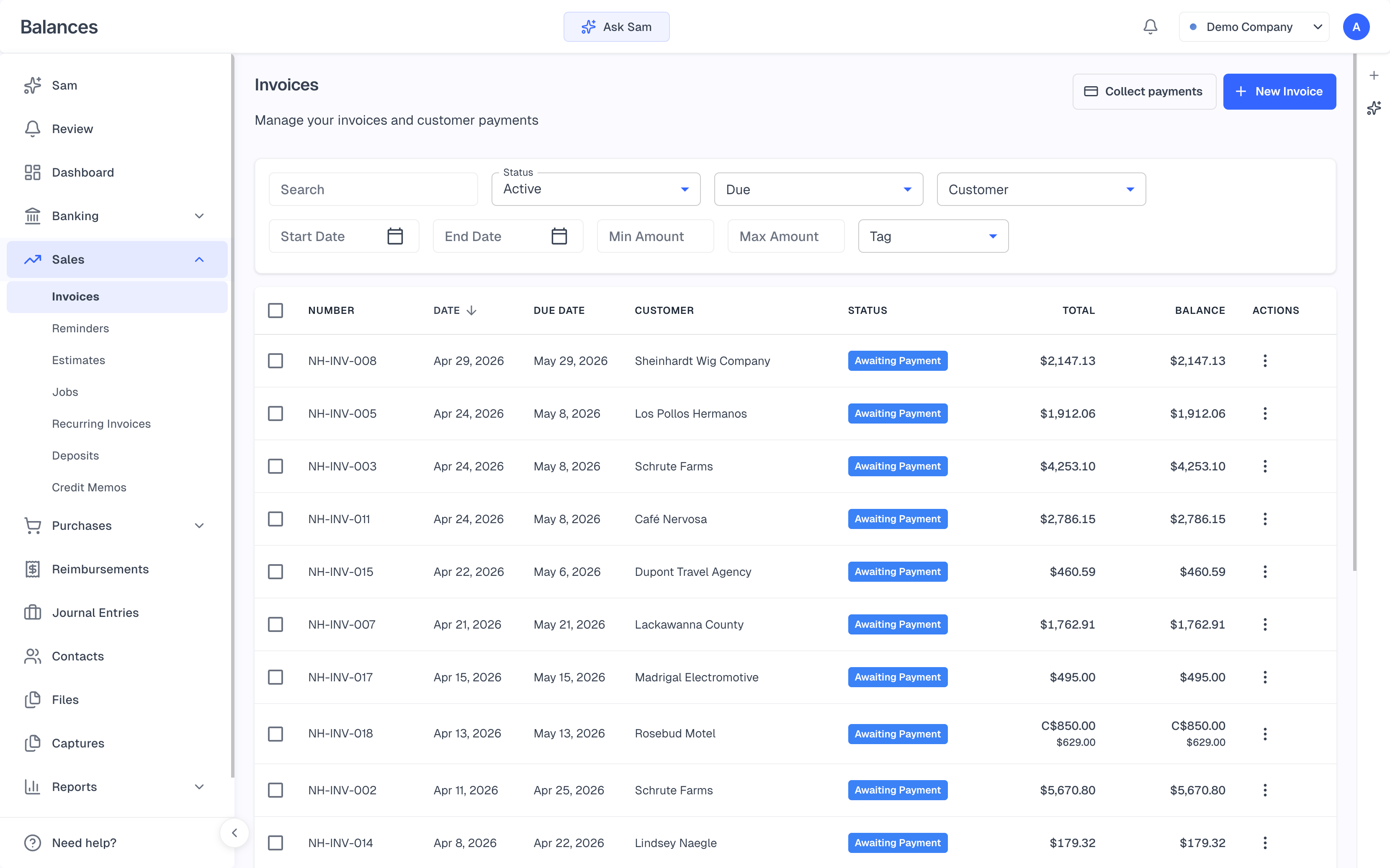
Invoices
A pay link on your invoices
Customers pay by ACH bank transfer on US-dollar invoices, or by card once you turn on “Accept credit cards,” through Stripe. The invoice link doesn’t expire unless you revoke it. Invoices carry your logo and colors and go out from your business name, with replies going to your business email, as a secure link with delivery status.
Card and ACH payments through Stripe
Optional card surcharge, within US and Canadian limits; ACH stays free to the customer
Partial payments, and one payment split across several invoices
A push notification on your phone when a customer pays
Estimates
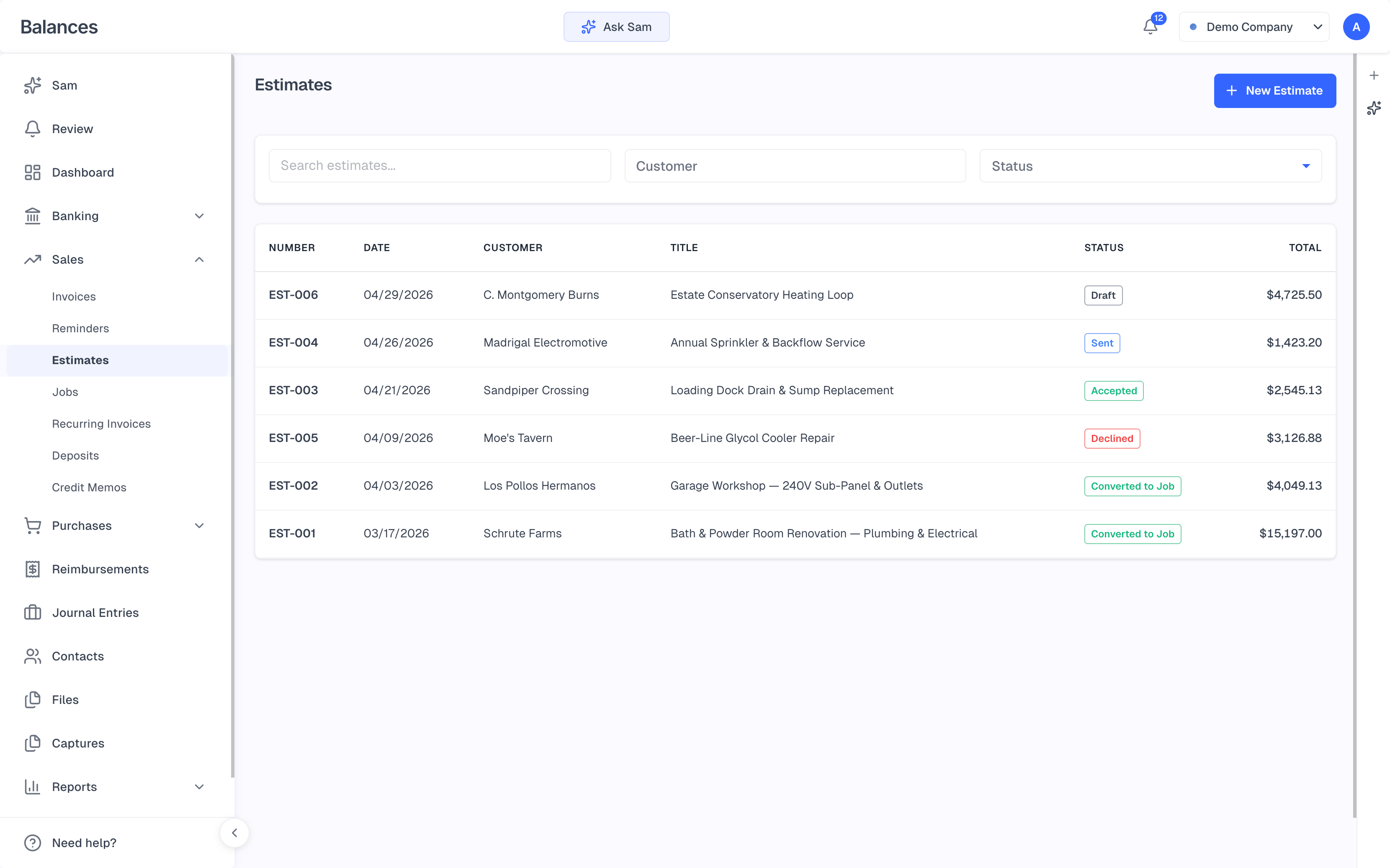
Estimates customers accept online
Send an estimate and see when it’s viewed. When the customer accepts it online, Balances creates the job and shows what’s left to bill. Give an estimate an expiry date and it can’t be accepted after that, and a customer who declines can tell you why.
Sent and Viewed tracking
Accept online, and the job is created in the same step
Milestone billing by percentage or fixed amount
A payment schedule on the invoice and its PDF
Getting paid
Reminders, recurring invoices and statements
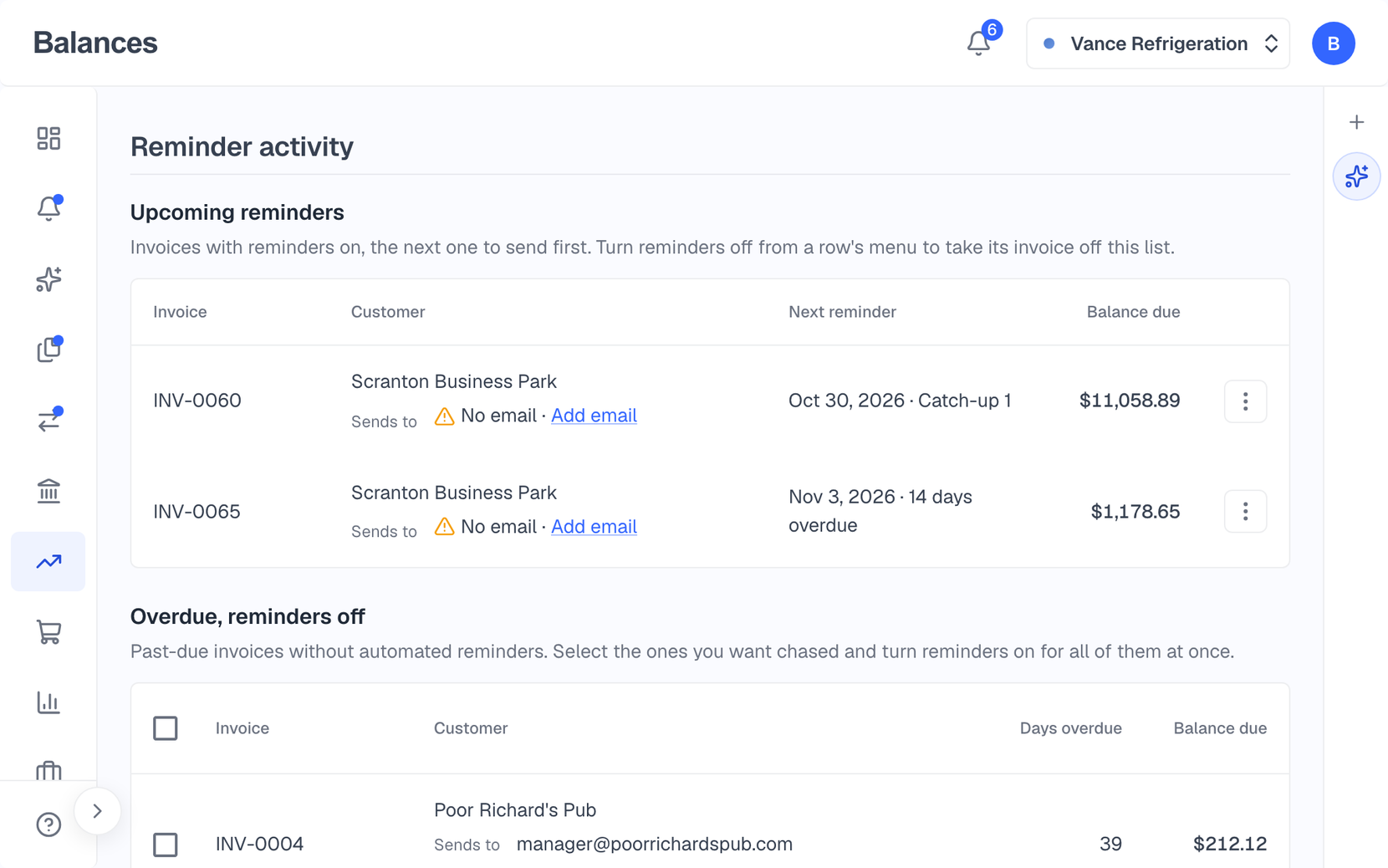
Turn on reminders for an invoice and your customer gets a short run of emails, from a friendly heads-up before the due date to a final notice, sent during business hours in your time zone. You can see every reminder date before it goes. Recurring invoices issue on schedule, or right away with “Issue now.”
Reminders you switch on per invoice, with weekdays-only if you prefer
A reminder activity page that shows who was emailed
Recurring invoices with per-line discounts
Customer statements with clickable invoices
On your iPhone
Check an invoice from anywhere
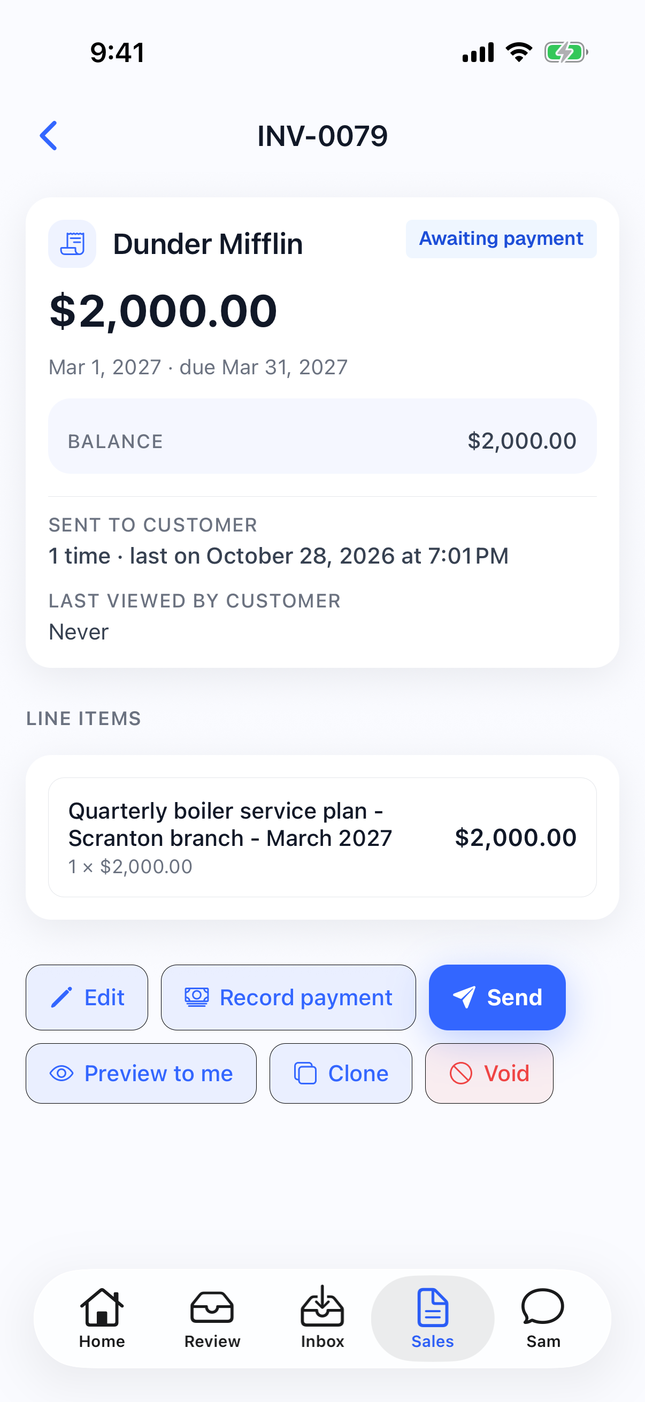
Open any invoice in the Balances iPhone app to see what’s owed, when it was sent and whether the customer has viewed it. Send it, record a payment, or preview it to yourself from your phone.
Every invoice, filtered by status
Sent and viewed, at a glance
Send, record a payment, edit or void
Also included
Credit memos
Numbered credit memos for customers and vendor credits for suppliers. Refund a credit in cash when you need to.
Sales tax
Tax rates on invoice lines, including combined GST and PST, with a sales tax report.
Overpayments
When a customer overpays, you choose what to do with the extra: keep it as a credit for their next invoice, or record it as a deposit.
AR aging
See what each customer owes and how overdue it is.
Estimates from a list
Paste a list of jobs into chat and the agent drafts an estimate for each, for you to approve.
Branding by chat
Drop your logo into chat and the agent sets it on your invoices, along with your colors and payment terms.
Questions
How do customers pay?
Through the pay link on the invoice: ACH bank transfer for US-dollar invoices, and card if you turn on “Accept credit cards.” You connect your own Stripe account.
Can I pass card fees on to customers?
Yes, if your Stripe account is in the US or Canada. Set a card processing surcharge (up to 3% in the US, 2.4% in Canada) and it’s added to card payments. Some states and provinces don’t allow surcharges, so check your local rules. ACH payments carry no surcharge.
Do reminders go out automatically?
Yes, once you turn them on for an invoice, and you can turn them on for several overdue invoices at once. Each invoice then gets a short series of reminder emails. You choose whether they go on weekdays only, and you can see each date before it’s sent.
Something else on your mind? Talk to our founder.
Keep exploring
Reports & Profit Insights
P&L, Balance Sheet, Cash Flow, aging, sales tax, 1099-NEC and more, computed live from your ledger. Profit Insights tells you what changed and why.
Receipts & bills
Forward receipts and bills to your own Inbox address, snap or text a photo, then match each one to its bank charge. Drop a supplier’s PDF on a bill and it fills itself in.
AI agent & Review
An agent in every workspace you can ask to record a bill, find what a customer owes, or set up a rule. What it suggests on its own waits for you in Review.
Or see everything Balances does.
Send your first invoice
Start a trial, connect your Stripe account, and send your first invoice with a pay link.